


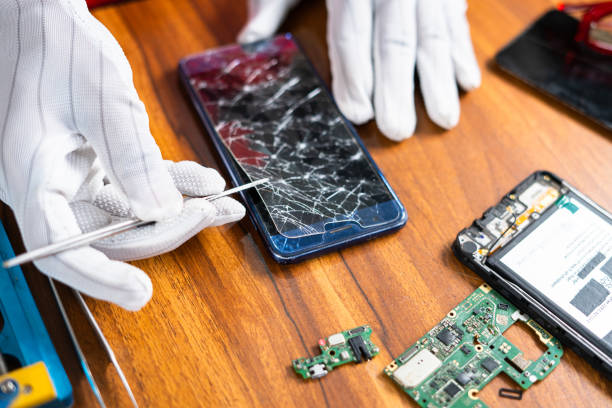
We’ve all experienced that heart-stopping moment when our phone slips from our hand. In fact, statistics show that a staggering 50% of smartphone users have had a cracked screen at some point, making it one of the most common device issues today.
Small cracks can quickly turn into major problems if left untreated. These tiny fissures can collect dust, expand with temperature changes, and compromise your device’s structural integrity. The good news is that you can fix these minor cracks with simple do-it-yourself (DIY) solutions.
As the official after-sales service provider for TECNO, Infinix, itel, Oraimo, and Syinix devices, Carlcare understands how important it is to keep your smartphone in good condition. Our expert technicians handle complex repairs every day, but we also know that some minor fixes can be safely done at home.


In this guide, you’ll learn:
- How to assess the severity of a crack
- What supplies you need for DIY repairs
- Step-by-step techniques for fixing cracks
- Professional tips for achieving long-lasting results
- Strategies to prevent future damage
Whether you’re dealing with a hairline crack or a small chip, these proven repair methods can help extend the life of your device and maintain its functionality. Let’s turn that damaged screen into a clearer, more stable surface – without breaking the bank.
Step 1: Assess the Damage
Before attempting any repairs, you need to evaluate your phone’s screen damage accurately. Here’s how to identify different types of cracks:
Minor Damage Signs:
- Hairline cracks without screen separation
- Surface-level scratches
- Small chips that don’t affect display
- Screen remains responsive to touch
- No display discoloration
Major Damage Signs:
- Spider web crack patterns
- Deep cracks with glass separation
- Screen unresponsive in certain areas
- Display shows distorted colors
- Glass pieces falling out
You can safely attempt DIY repairs for minor damage cases. Look for these positive indicators:
- Crack length less than 1 inch
- No internal damage visible
- Touch functionality works perfectly
- Display quality remains unchanged
Professional Help Required When:
- Cracks extend across multiple screen areas
- Display shows dead pixels or black spots
- Touch response is inconsistent
- Internal components are visible
- Screen edges are lifting
A proper assessment helps prevent further damage and determines the most effective repair approach. Attempting to fix major damage yourself can lead to permanent screen failure or injury from broken glass.
Step 2: Gather Your Supplies
Successful phone repair starts with the right tools. Here’s your essential supply list:
Basic Supplies:
- Microfiber cloth (lint-free)
- Clear nail polish or super glue
- Rubbing alcohol (90% or higher)
- Cotton swabs
- Toothpicks
- Small plastic scraper
- Disposable gloves
The Purpose Behind Each Tool:
The microfiber cloth prevents scratches while cleaning, making it crucial for delicate screen work. Clear nail polish creates a temporary seal for minor cracks, while super glue offers a stronger bond for slightly deeper cracks.
Rubbing alcohol removes oils and debris from the crack, ensuring better adhesive bonding. Cotton swabs help apply the alcohol precisely, and toothpicks control adhesive application. The plastic scraper helps smooth excess adhesive without damaging your screen.
Pro Tips:
- Choose high-quality super glue designed for glass surfaces
- Keep your workspace well-lit and clean
- Store adhesives in a cool, dry place for better results
- Have extra supplies ready in case you need multiple applications
Step 3: Clean the Area
A clean surface is crucial for successful crack repair. Dirt, oils, and debris can prevent proper adhesive bonding and compromise your repair efforts.
Essential Cleaning Steps:
- Remove your phone case and any screen protectors
- Dampen a microfiber cloth with rubbing alcohol
- Gently wipe the cracked area in circular motions
- Clean 1-2 inches beyond the crack edges
- Use dry sections of the cloth to remove excess moisture
Pro Tips for Thorough Cleaning:
- Avoid pressing hard on the cracked area
- Never spray cleaning solutions directly on your screen
- Use 90% or higher isopropyl alcohol for best results
- Pay special attention to any visible debris inside the crack
Your screen must be completely dry before moving to the adhesive application. Wait 3-5 minutes after cleaning, or use a fresh microfiber cloth to speed up the drying process. A properly cleaned surface will appear streak-free and feel smooth to the touch.
Step 4: Apply the Adhesive
The application of adhesive requires precision and patience to achieve the best results. Here’s how to apply your chosen adhesive effectively:
For Clear Nail Polish:
- Use the built-in brush applicator to create a thin, even layer
- Apply in one direction to prevent air bubbles
- Keep the layer as thin as possible to maintain screen sensitivity
For Super Glue:
- Transfer a small amount to a toothpick or fine-tipped applicator
- Start from the crack’s edges, working your way inward
- Apply minimal pressure to avoid pushing the adhesive underneath the screen
Pro Tips:
- Work in a well-ventilated area
- Place tape around the crack to protect the surrounding screen
- Let the adhesive seep into the crack for 5-10 minutes
- Remove any excess immediately with a cotton swab
- Avoid touching or testing the screen during this time
Warning: Never apply adhesive near your phone’s ports, speakers, or buttons. Keep the repair area contained to prevent damage to other components.
Step 5: Smooth the Surface
The smoothing process requires precision and patience to achieve a professional-looking repair. Here’s how to perfect your screen’s surface:
- Wait 2-3 Minutes after applying the adhesive to let it partially set
- Use Light Pressure with your toothpick or applicator to spread the adhesive evenly
- Work in Small Circular Motions to eliminate any bumps or ridges
Pro tip: Hold your phone at different angles under light to spot uneven areas
For the best results:
- Remove any excess adhesive immediately with the corner of your applicator
- Keep the layer thin and uniform across the crack
- Avoid touching the surrounding screen area
A properly smoothed surface helps:
- Prevent dust accumulation in the repair
- Maintain touch screen sensitivity
- Reduce the visibility of the crack
- Create a seamless feel when swiping
Note: If you notice any bubbles forming, use the tip of your applicator to gently press them out toward the edges of the repair area.
Step 6: Buff the Area
After the adhesive has completely dried, buffing brings back your screen’s natural shine and minimizes repair visibility. Here’s how to buff effectively:
1. Select the Right Cloth
- Use a microfiber cloth – never paper towels or tissues
- Ensure the cloth is clean and lint-free
- Keep a dedicated cloth for screen buffing
2. Buffing Technique
- Apply gentle, circular motions
- Work from the center outward
- Use light pressure to avoid damaging the repair
3. Check Your Progress
- Examine the screen at different angles
- Look for any remaining cloudiness
- Repeat the process if needed
The buffing process helps blend the repaired area with the rest of your screen. A properly buffed repair can reduce light reflection and improve screen visibility. You might notice the repair becomes less noticeable with each buffing session.
Pro Tip: If you spot any stubborn spots, wait 24 hours before attempting another buff. This ensures the adhesive has fully cured and prevents accidental damage to your repair work.
Step 7: Protect Your Device
Prevention beats repair every time. A quality screen protector acts as your phone’s first line of defense against scratches and cracks. Look for tempered glass protectors with at least 9H hardness rating – these offer superior protection compared to plastic alternatives.
Your phone case selection matters just as much. Choose cases with:
- Raised bezels to protect the screen when placed face-down
- Military-grade drop protection certification
- Shock-absorbing corners
- Reinforced edges
Daily maintenance habits that prevent damage:
- Keep your phone in a dedicated pocket, away from keys and coins
- Use both hands when handling your device
- Avoid extreme temperature changes
- Clean your phone regularly to prevent debris buildup
- Replace worn-out screen protectors immediately
Pro tip: Apply your screen protector in a dust-free environment. A perfectly installed protector not only safeguards your screen but maintains touch sensitivity and display clarity. Consider professional installation services for bubble-free results.
Frequently Asked Questions about Phone Repair
Q: Can I use regular glue instead of super glue for screen repairs?
No, regular glue lacks the necessary bonding properties and transparency. Super glue or specialized screen repair adhesives create stronger bonds and maintain screen clarity.
Q: Will DIY repairs void my phone’s warranty?
Yes, attempting repairs yourself typically voids manufacturer warranties. Contact Carlcare for professional repairs that maintain your warranty status.
Q: How can I tell if the crack has affected my phone’s internal components?
Watch for these signs:
- Dead pixels or discoloration near the crack
- Touch screen responsiveness issues
- Strange lines or patterns on the display
- Moisture under the screen
Q: Is it safe to use my phone with a cracked screen?
Small cracks might seem harmless, but they can:
- Allow dust and moisture to enter your device
- Create sharp edges that could cut your fingers
- Lead to further screen damage
- Compromise your phone’s water resistance
Q: How often should I check my DIY repair?
Inspect your DIY repair weekly for:
- Signs of adhesive deterioration
- Crack expansion
- Screen lifting
- Changes in touch sensitivity
Q: What temperature conditions affect screen repairs?
Keep your phone at room temperature during and after repairs. Extreme temperatures can:
- Prevent proper adhesive curing
- Cause bubbling under screen protectors
- Weaken the repair bond
- Lead to further screen damage
Conclusion
Small cracks don’t have to mean disaster for your phone. These 7 Simple Steps to Fix Small Cracks provide a practical solution for minor screen damage. Regular device maintenance helps prevent small issues from becoming major problems.
Remember: timing is crucial. While DIY repairs work for minor cracks, deeper damage requires expert attention. The Carlcare team stands ready to help with professional repairs for your TECNO, Infinix, itel, Oraimo, or Syinix device.
Don’t let a cracked screen impact your phone experience. Take action today – whether through our DIY steps or by visiting a Carlcare service center. Your device deserves the best care possible.
Need professional help? Find your nearest Carlcare service center and let our certified technicians restore your device to perfect condition.
FAQs (Frequently Asked Questions)
What should I do first if I notice a small crack on my phone?
The first step is to assess the damage. Determine the severity of the crack and differentiate between minor and major damage. This will help you decide whether you can fix it yourself or if you need to seek professional help.
What supplies do I need to fix small cracks on my phone?
You will need a microfiber cloth, clear nail polish or super glue, and possibly a toothpick or small applicator. Each item serves a specific purpose: the cloth is for cleaning, the adhesive fills the crack, and the applicator helps smooth out the adhesive.
How do I clean the cracked area before applying adhesive?
It’s important to clean the cracked area thoroughly using rubbing alcohol and a microfiber cloth. Make sure that the surface is completely dry before applying any adhesive to ensure effective bonding.
What techniques should I use when applying adhesive over a crack?
When applying clear nail polish or super glue, use a steady hand to avoid excess adhesive. Apply it directly over the crack and allow time for it to seep in properly for an effective repair.
How can I achieve an even surface after applying adhesive?
Use a toothpick or small applicator to gently smooth out the adhesive layer. Achieving an even surface is crucial for both aesthetics and functionality of your phone screen.
What steps can I take to protect my device from future cracks?
Investing in a quality screen protector and a sturdy case is highly recommended. Additionally, practicing general phone maintenance can help avoid further damage and prolong your device’s lifespan.