


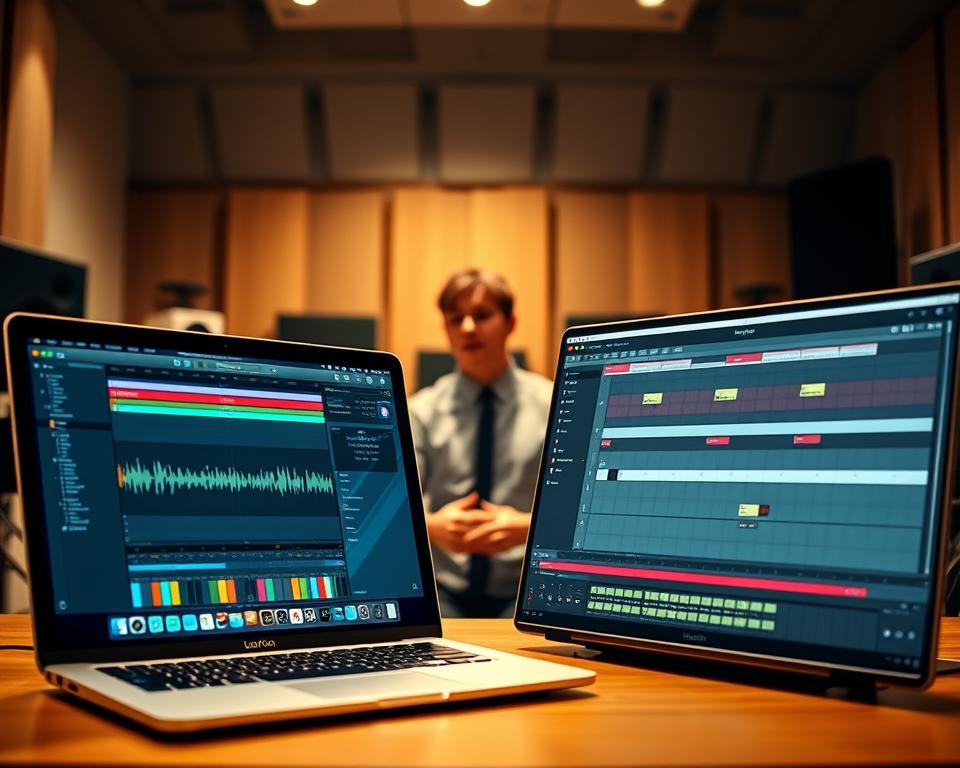
Choosing a digital audio workstation (DAW) is a big decision for music producers. There are many options, making it hard for new producers to pick the right one.
Two top DAWs often come up in this decision: industry-leading music production software. The choice between them can really affect how you make music.
Switching DAWs can be tough, so picking the right one at the start is key. This article will compare these two DAWs. It will help you choose the best one for your music style.
Knowing the good and bad of each DAW helps producers make a smart choice. This choice can improve their creative work.
DAWs and Their Impact on Music Production
Digital audio workstations, or DAWs, are key to modern music-making. They offer tools and features that make creating music easier. All DAWs help with recording, editing, and mixing music.
Even though they share common functions, different DAWs meet different needs. For example, Logic Pro X features a wide range of production tools. This makes it a favorite among producers. When choosing music production software, consider what your project needs.
When looking for the best DAW for music production, consider a few things. Look at the user interface, how well it integrates with other hardware, and the plugins and effects it supports. A detailed review of music production software can guide your choice.
- User interface and workflow
- Compatibility with external hardware
- Availability of plugins and effects
Knowing the good and bad of different DAWs helps producers choose the right one. This choice can improve their music-making experience.
Logic Pro vs Ableton Live: Core Differences
Choosing between Logic Pro and Ableton Live depends on knowing their main differences. Both are top choices for music production, but they serve different purposes and offer unique features.
Logic Pro is great for structured music and post-production. It has lots of tools for recording, editing, and mixing. It’s all about precision and control.
Ableton Live, on the other hand, is good for live shows, improvisation, and experimenting. It’s flexible and easy to use, letting you make music more freely.
| Feature | Logic Pro | Ableton Live |
|---|---|---|
| Workflow | Linear, traditional | Linear and non-linear |
| Ideal Use | Structured composition, post-production | Live performances, improvisation, experimental music |
| Key Features | Comprehensive recording, editing, and mixing tools | Flexible, intuitive interface for dynamic music creation |
Knowing these main differences is key for music producers. It helps them pick the right DAW for their work. Whether it’s for a structured piece or a live show, the right tool makes a big difference.
Logic Pro: Strengths and Weaknesses
Logic Pro is a favorite among musicians and producers. It’s known for its wide range of features and how well it works with Apple products. Its intuitive layout and sleek design make it perfect for writing songs and mixing music.
It comes with a huge library of instruments and effects. You also get a lot of plugins for sound processing. Plus, it’s great for MIDI editing, helping you create and tweak musical parts. Logic Pro’s sound quality is top-notch, rivalling Ableton Live.
| Feature | Logic Pro |
|---|---|
| User Interface | Intuitive and sleek design |
| Instruments and Effects | A vast library of plugins |
| Sound Quality | High-resolution audio processing |
But Logic Pro has some downsides. It only works on Macs, which might be a problem for users on other systems. It’s also very feature-rich, which can be overwhelming for new users.
Logic Pro is a powerful tool for music production and post-production. It shines in sound quality, instrument variety, and user interface. Yet, its Mac exclusivity and complex nature are major drawbacks.
Ableton Live: Strengths and Weaknesses
Ableton Live is a top choice for electronic music production and live shows. It’s known for its creative loops and experimentation. This makes it a hit among electronic music makers and performers.
Its non-linear workflow lets artists improvise and change tracks live. This is super useful for live performances.
One big advantage of Ableton Live is how well it works with hardware controllers. This lets performers tweak sounds and effects in real-time. Plus, it comes with a huge library of instruments and effects, like Simpler and Impulse.
But Ableton Live might not be the best for producers in other genres. Its focus on live performance and electronic music can be a limitation.
Ableton Live’s interface is also a big plus. It’s easy to use and encourages trying new things. The session view is great for flexible music production. Even though it’s not as strong in post-production as some DAWs, like Logic Pro, many producers find its benefits worth it. This makes Ableton Live a strong contender as the best DAW for music production in its field.
Workflow Comparison: Arrangement and Composition
Understanding the workflow differences between Logic Pro and Ableton Live is key for producers. It helps them pick the right tool for their music.
Logic Pro is known for its linear workflow. It’s traditional and easy to follow. This is great for producers who like a structured way of working. They can arrange tracks clearly and easily manage big projects.
Ableton Live, on the other hand, offers both linear and non-linear workflows. This makes it perfect for live shows, improvisation, and trying new things. The non-linear part lets producers move freely and try out different ideas easily.
So, the choice between Logic Pro and Ableton Live depends on what the producer needs. Logic Pro is good for those who like a traditional, structured approach. Ableton Live is better for those who like to be flexible and try new things.
Knowing the differences in workflow between these DAWs can really help a producer. By picking the right DAW, they can work more efficiently and creatively.
Sound Quality and Processing: Which DAW Sounds Better?
Choosing a DAW largely depends on sound quality. Logic Pro and Ableton Live both have their strengths. Logic Pro has a huge library of sounds and instruments. This makes it a top pick for producers who want a wide range of sounds.
Ableton Live shines in live performances and sound manipulation. Its Max for Live integration lets you customize sound processing deeply. This is perfect for electronic music producers and live performers.
When evaluating sound quality and processing, consider what you need for your music. Here are some key differences:
| Feature | Logic Pro | Ableton Live |
|---|---|---|
| Built-in Instruments | Extensive library | Simpler, but highly customizable |
| Sound Processing | Advanced plugins and effects | Max for Live integration for deep control |
| Live Performance | Limited live performance capabilities | Designed for live performance and improvisation |
In conclusion, your choice between Logic Pro and Ableton Live depends on your needs. If you want a huge sound library and advanced plugins, Logic Pro is a better choice. For live performances and customizing sounds, Ableton Live is the best choice.
Genre-Specific Analysis: Electronic Music
When it comes to making electronic music, you need a DAW that can handle complex sounds. Logic Pro and Ableton Live are top choices. They offer flexibility, powerful editing tools, and live performance capabilities.
Electronic Sound Design
Logic Pro and Ableton Live are both great for sound design. Logic Pro has a huge library of plugins and instruments. This is perfect for creating complex electronic sounds.
Ableton Live shines with its Max for Live integration. This lets you customize and control your sounds even more.
Beat-Making Features
Ableton Live is known for its easy beat-making features. Its workflow is seamless, making it easy to work with loops and samples. The session view is great for producers who use loops a lot.
Sample Manipulation
Both DAWs have strong sample manipulation tools. Logic Pro’s Sampler plugin and Ableton’s Simpler device are top choices. They help you create unique sounds from samples.
| Feature | Logic Pro | Ableton Live |
|---|---|---|
| Sound Design | Extensive plugin library | Max for Live integration |
| Beat-Making | Traditional arrangement view | Intuitive session view |
| Sample Manipulation | Sampler plugin | Simpler device |
In conclusion, Logic Pro and Ableton Live are both great for electronic music. Ableton is better for live performance and beat-making. Logic Pro is strong in sound design and sample manipulation. So, it depends on what you value most in your production.
Genre-Specific Analysis: Hip-Hop and Urban Production
Producers of hip-hop and urban music face a choice between Logic Pro and Ableton Live. Both are top choices in the genre, each with its own strengths.
Logic Pro is great for its vast library of sounds and instruments. This is key for hip-hop producers who need top-notch samples and presets. The extensive collection of plugins and loops in Logic Pro makes it easy for producers to create complex beats and melodies.
Ableton Live, on the other hand, is loved for its flexibility and live performance features. Its session view lets producers work in a non-linear way. This makes it perfect for those who love to experiment and change tracks quickly.
| Feature | Logic Pro | Ableton Live |
|---|---|---|
| Built-in Sounds and Instruments | Extensive library, ideal for hip-hop beats | Simpler, but highly customizable |
| Workflow | Linear, ideal for detailed production work | Non-linear, great for live performances and experimentation |
| Plugin Support | High-quality plugins, including third-party options | Robust plugin support, with a focus on live performance |
In conclusion, both Logic Pro and Ableton Live are excellent for hip-hop and urban music. The right choice depends on the producer’s needs and how they work. A music production software review shows Logic Pro is best for sound quality. Ableton Live is better for flexibility and live shows.
Genre-Specific Analysis: Rock, Pop, and Acoustic Genres
Choosing the right DAW is key for rock, pop, and acoustic musicians. Logic Pro and Ableton Live are top picks, but they suit different styles and needs.
Logic Pro is a favorite for its ease and vast sound library. Its user-friendly interface helps artists create quickly. It has:
- High-quality sampled instruments and effects
- Seamless integration with other Apple devices
- Advanced MIDI editing capabilities
Ableton Live stands out for its flexibility and its live performance capabilities. Its session view supports non-linear, improvisational work. This is great for artists who love spontaneity. It has:
- Flexible live performance capabilities
- Extensive library of instruments and effects
- Seamless integration with Max for Live for custom effects and instruments
When deciding between Logic Pro vs Ableton Live, it depends on your workflow. Logic Pro is great for those who want ease and a wide range of tools. Ableton Live is perfect for live performance and flexible production.
In summary, both Logic Pro and Ableton Live are great for rock, pop, and acoustic music. Choose based on your production needs and workflow.
Genre-Specific Analysis: Film Scoring and Orchestral Work
Logic Pro and Ableton Live are top choices for film scoring and orchestral work. Logic Pro is favored for its advanced features and compatibility with other tools.
For film scoring, scoring tools and libraries are key. Logic Pro has a wide range of scoring tools and a huge library of orchestral samples. It also lets you create complex scores. Ableton Live, on the other hand, is better for electronic music and live performances.
| Feature | Logic Pro | Ableton Live |
|---|---|---|
| Scoring Tools | Advanced scoring tools and libraries | Limited scoring tools, more suited for electronic music |
| Orchestral Samples | Vast library of orchestral samples | Some orchestral samples are available, but not as extensive |
| Compatibility | High compatibility with professional film scoring tools | More geared towards live performances and electronic music |
In conclusion, Logic Pro is the top pick for film scoring and orchestral work. Its advanced features and compatibility are unmatched. But Ableton Live can also be used alongside other tools. The choice depends on the project’s needs and the composer’s workflow.