


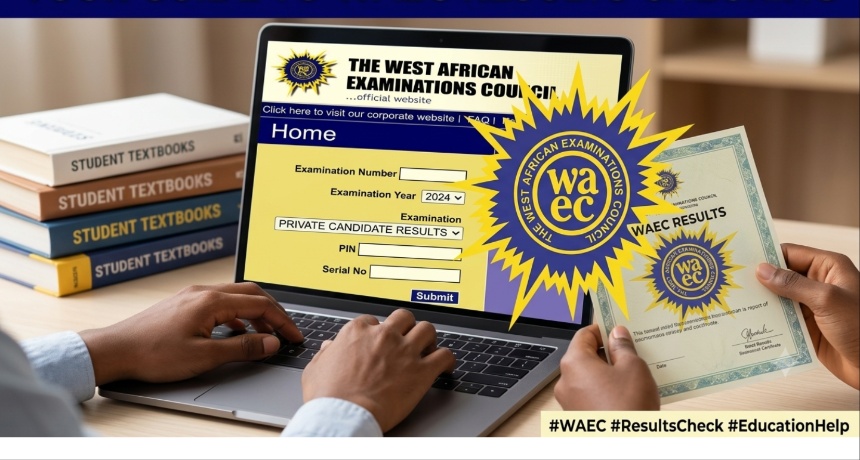
Nigerian students taking this year’s West African Senior School Certificate Examination no longer need to wait for months, or in some instances for years, before being able to show that they have completed secondary school by obtaining a physical certificate. The West African Examinations Council has made its Digital Certificate Platform available for the 2026 WASSCE exam candidates, and students throughout the country are already logging in order to view their certificates on their phones.
WAEC made the announcement via its official account on X, keeping the message brief and to the point: the certificate for the 2026 WASSCE for School Candidates is now available for access on the WAEC Digital Certificate Platform. This one post triggered a surge of activity, as parents, students and school administrators rushed to find out how the system works, what it costs, and whether it can be trusted in the same way that the old green certificate booklet had been trusted for decades.
What the platform actually does
The Digital Certificate Platform, which WAEC insiders commonly call DigiCert internally, is not just designed for issuing PDF copies of the results; it allows candidates, schools, employers and admission offices to view, download, share and verify the authenticity of a WASSCE certificate all without any of them having to go to a WAEC office in person.
The platform features two key services. The first of these is Certificate Access, which is the one that candidates are most likely to use right away; it enables them to obtain their own certificate, produce a digital version and pass it directly on to a university, an employer or an embassy that needs to see it. The second service is Certificate Confirmation, which is more directed at institutions than at candidates; for example, an admissions office in Lagos or a recruiter looking at an application from Abuja can use this part of the platform to verify within a short time that a certificate they have been given is genuine and corresponds with WAEC’s records, instead of having to send back and forth letters or wait for manual verification.
The timing is no coincidence. WAEC has just published the results of the 2026 WASSCE for school candidates, the figures showing that of the 1,950,726 candidates who took the exam, 1,200,514 of them which is just over 61 per cent secured credits in five subjects or more, including English Language and Mathematics. It is this group of students who are now proceeding to what used to be the most frustrating stage of the process: obtaining the actual certificate.
Everyone who has gone through the university admission process in Nigeria is familiar with this old tale: a student may pass the WASSCE by a large margin, only to then go through the entire admission period looking for a certificate that has not yet been printed, or even worse, one that has gone missing at some point between the school and a WAEC office. The digital platform is WAEC’s solution to that very problem, and it is part of a broader initiative the examination body has been carrying out since the beginning of the year, when it first introduced DigiCert in five member countries Nigeria, Ghana, The Gambia, Liberia and Sierra Leone as a mobile and web-based system for issuing and verifying credentials.
How to get your certificate
For those candidates taking the 2026 WASSCE who would like to obtain their certificate today, the procedure is quite simple. It is possible to get the certificate either by going to WAEC’s official website or by using the WAEC Digital Certificate mobile application, which can be downloaded from the Google Play Store. Candidates must set up a candidate account on the site, check that their personal details match those on their examination record, and then go to the Certificate Access section to view and download their certificate.
It is important to make clear something that many people get wrong. The digital certificate platform is a completely different system from the WAEC result-checking portal. The result-checking portal merely displays the grades; it does not assign a certificate. Candidates who require the actual certificate—that is, the document which schools and employers ask for must use the Digital Certificate Platform for this purpose.
- Select the access point that is most convenient for you. You can go to the official WAEC website at waec.org or download the WAEC Digital Certificate mobile application from the Google Play Store; both methods take you to the same platform.
- Set up a candidate account. When using the system for the first time, users must register by providing some personal information such as their full name, date of birth, and contact details. The account thus created is the one that the system uses to link you with your examination record.
- Check your exam information since you’ll be required to input details associated with your WASSCE registration, including your exam number, the examination year and the centre details. carrying out this step ensures that the certificate which is being retrieved actually belongs to you.
- Click on ‘Certificate Access’. After your account has been verified, go to the Certificate Access section of the platform. This service is one that has been set up specifically so that candidates can retrieve their own certificates, unlike Certificate Confirmation, which is used by institutions to verify a certificate that they already have.
- You can view and download your certificate; once the system has found your record, your digital certificate will appear on the screen. After that, you have the option of downloading it in PDF format, saving it to your device, or printing it if a physical copy is required by a particular office.
- Share it directly at the place where it’s required. Instead of printing it out and posting it or scanning it and sending it by email, the platform enables you to send the certificate directly from the app or the website to a university’s portal, to an employer, or to any other organisation that accepts digital verification.
- It is important to keep your login information safe since the certificate can be accessed at any time using the same account, so do make sure you save your registration details. This is especially important for older candidates who may need to go back to the platform several years later to get a replacement for a lost physical certificate.
Anyone who encounters problems at any stage for example, if there is a discrepancy in their personal details or if a certificate fails to load should contact WAEC’s official support channels rather than third-party agents since the information concerned is highly sensitive.
There is good news as well for those from previous years who have never obtained a physical certificate or for whom the original one has been lost. WAEC has stated that the digital certificate now serves as the official alternative for anyone whose examinations were taken from 1999 onwards, since the council does not issue a second physical copy when one has been lost. This one point alone should bring great relief to a large number of Nigerians who have for years been unable to finish a job application or an admission procedure because of the missing document.
The overall situation is that WAEC is clearly making an effort to modernise the way it deals with one of the most important documents a Nigerian student will ever have. Since the Federal Government has instructed WAEC and NECO to carry out the move to computer-based testing by 2026 and in view of this new introduction of a verifiable digital credential system, the examination body is obviously aiming to align itself with the way universities and employers overseas now expect academic records to function—being instantly checkable, difficult to forge and accessible without having to visit an office.
At this stage, the guidance given to the candidates is straightforward: go to the official WAEC website or download the WAEC Digital Certificate app, set up an account, check your details, and obtain your certificate before the admission deadlines begin to accumulate. There’s no need for the previous waiting period, and since a generation of students has already got used to carrying out nearly all their activities on their phones, this is finally long overdue.