

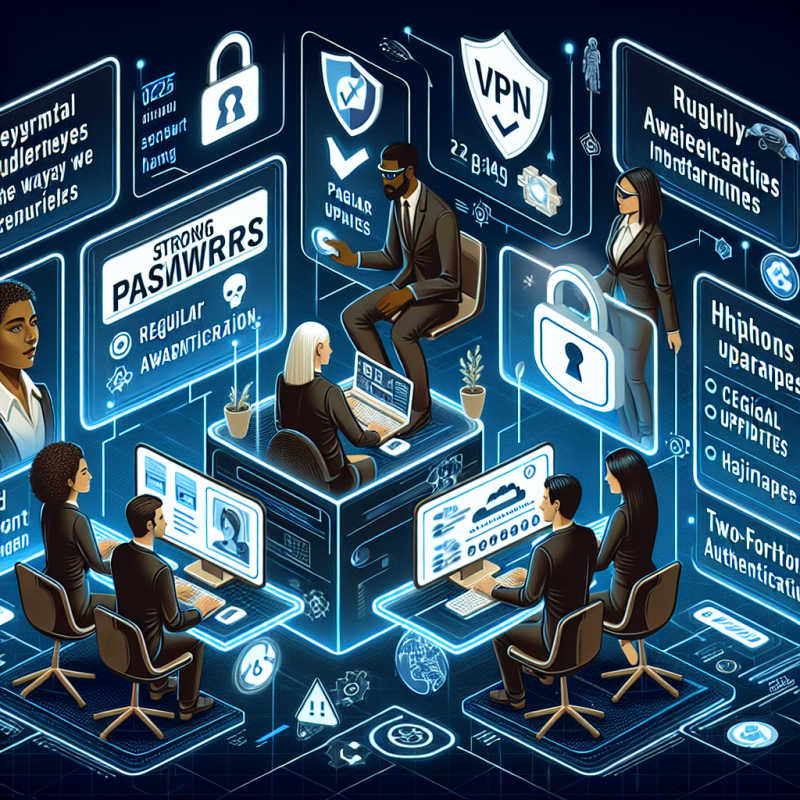

Last spring, a colleague nearly approved a “CEO” voice call authorising a payment, only a quick call-back to a known number saved the day. So, if you’re working from home in 2025, you’re right to wonder how to stay safe without becoming a full-time security engineer.
This guide gives you calm, practical steps to map your personal risk and prioritise the fixes that matter, lock down laptops and mobiles with a simple baseline you can actually maintain, make phishing‑resistant sign‑ins the norm, and keep your connections and data properly encrypted whether you’re on home Wi‑Fi, ZTNA or a VPN. You’ll also receive clear guidance on managing passwords and passkeys, securing browsers and USB devices, segmenting home networks and IoT devices, and creating reliable backups that restore quickly.
Finally, we’ll show you how to monitor for early warning signs, practise short, focused training, and follow a straightforward incident plan, so if deepfakes, OAuth token theft, or QR scams come knocking, you’ll have a proven playbook to contain, recover, and carry on with confidence.
Build a Risk‑Aware Home Workspace (2025 Threats in Mind)
Start by mapping your personal risk, then prioritise controls like a pro. Here’s a blunt, real‑world 2×2 matrix to rank five 2025 cybersecurity risks by likelihood and impact.
The top three to fix first are flagged with stars.
- High / High ★ — AI‑driven phishing & voice deepfakes: e.g., “approve this urgent transfer now.” Mitigation: enforce a strict call‑back policy using a known number plus a shared code phrase; never authenticate over unknown audio.
- High / Medium ★ — OAuth token theft from “Sign in with…” links or malicious extensions. Mitigation: review connected apps monthly, revoke stale tokens, use hardware security keys and device‑bound passkeys.
- Medium / High ★ — Home IoT exposure leaks your work network. Mitigation: put smart TVs, cameras, assistants on a separate guest/VLAN; disable UPnP; change default creds; auto‑update firmware.
- Medium / Medium — QR code scams (“pay here”, “login bonus”). Mitigation: verify destination domains, use a browser‑based password manager to flag mismatches, and prefer manual URL entry.
- Low / High — SaaS sprawl & shadow IT increasing data leakage. Mitigation: maintain an approved app list, classify data, apply least privilege and automatic off‑boarding.
Quick self‑audit checklist (tick it today): privacy screen in public spaces; door/desk lock; router age ≤4 years with latest firmware; separate family/IoT network; 3–5 min screen timeout; shred or securely dispose notes/USBs. Experts’ advice: If it takes more than 30 seconds to bypass, most opportunistic attacks will move on to smaller controls.
Personas: Freelance designer protects client IP with end‑to‑end encrypted storage, signed contracts for data handling, and hardware‑backed MFA on cloud drives. Finance analyst with PII enforces zero-trust access, disables clipboard sync between personal/work accounts, and uses a callback verification for any payment or vendor update.
Example matrix in action: “Deepfake voice call to authorise payment” rated High/High; mitigation is a non‑negotiable call‑back policy to a known number plus a pre‑shared code phrase, no exceptions, no approvals over ad‑hoc calls.
Hardening Laptops and Mobiles for Remote Use
Here’s the unapologetic truth: remote gear needs a minimum secure build, and you need to stick to it. Treat your devices like production systems, not playgrounds.
Follow this tight “Baseline v1.0” you can actually tick off:
1) Auto‑updates on for OS, browsers, and firmware (daily checks);
2) Secure Boot enabled;
3) Full‑disk encryption on (BitLocker/FileVault) with recovery keys stored in the corporate vault;
4) Use a standard (non‑admin) account for daily work;
5) Screen lock at 5 minutes;
6) Biometrics + PIN required;
7) Firewall on, block inbound;
8) Disable unused services (Remote Desktop off, AirDrop set to Contacts Only, Bluetooth off by default);
9) App control: allowlisting on work devices, separate work browser profile, only vendor‑approved extensions, disable Office macros from the internet; 10) EDR/MDM installed from one vendor with device posture checks (encryption on, jailbreak/root detection, OS version compliant). Add hard values: password length of 14+ characters, DNS set to a secure resolver, and browser updates are performed daily. Experts’ Advice: If a control irritates you, it’s probably doing its job.
Turn the screws on the risky edges: set USB/media to block by default, allow only signed corporate USBs, and enforce an auto‑scan policy. Maintain a clean security stack—no layered bloat—so your EDR actually catches threats. For proof and easy audits, capture a before/after screenshot idea: open Windows Local Security Policy and show “Interactive logon: Machine inactivity limit = 300 seconds” flipping from Not Configured to your Baseline v1.0 value; replicate the same spirit on macOS with profiles in MDM.
This is a build you can deploy fast, check weekly, and forget until it saves you. Experts’ Advice: Document the baseline, push it via MDM, and block non-compliant devices at the gateway; no exceptions, no drama.
3. Identity, MFA and Access Controls That Actually Work
Phishing-resistant authentication should be your default, not a luxury. Roll out SSO for all apps so users sign in once, and you can centrally control risk. Lock down access with the least privilege via roles and conditional access rules: only allow sign-ins from compliant devices, expected countries, and within sane time windows. Prioritise MFA that resists real‑time relay: go
1) security keys (FIDO2) or passkeys;
2) push with number matching;
3) authenticator app (TOTP); and
4) retire SMS for anything sensitive. Tighten secrets hygiene: move all credentials into a business‑grade password manager, share only via vaults (never chat/email), and disable app‑specific passwords. Quick comparison: Security keys = very high resistance, low effort (tap), perfect for admins; Passkeys = high resistance, minimal friction for daily users; TOTP = medium, workable but phishable; push with number matching = medium‑high, less MFA fatigue; SMS/Email = low, keep for legacy only. This mix balances remote work security, usability, and compliance without hand‑holding.
Practical rollout that won’t implode your helpdesk: run a tight pilot with admins and high‑risk roles using two FIDO2 security keys each (one backup). Move to staged enforcement: Week 1, enforce on SSO and finance apps; Week 2, expand to engineering and HR; Week 3, enforce everything else with clear prompts. Offer resilient recovery options: offline passkey recovery codes stored in the vault, break‑glass accounts held by the security team, and in‑person identity proof for resets.
A fast path for daily users: add a FIDO2 key to Microsoft Entra or Google Workspace (Security > 2‑Step Verification > Security key), register a passkey on the primary device (use platform biometrics like Face ID/Windows Hello), and print recovery codes to paper or save to an offline vault. That’s it: strong identity, sane access controls, fewer alerts, and a workflow people actually use.
Safer Connections: Wi‑Fi, ZTNA vs VPN, and Data in Motion/At Rest
Lock down your home network like you actually mean it: switch Wi‑Fi to WPA3, set a unique SSID and a long, random passphrase, kill WPS, and keep router firmware updated.
Split traffic between a guest/IoT network and your primary network so your smart fridge doesn’t share the same network as your work laptop, and ensure the admin password is unique. Point devices to secure DNS (DoH/DoT) with malware/content filtering, such as Cloudflare or NextDNS.
For remote access, favour ZTNA for app‑level, context‑aware access and use a VPN only when a full tunnel is truly needed for legacy apps—never run an always‑on split‑tunnel without tight policies.
Think in a clean sketch: modem → router [guest/work SSIDs] → work device → ZTNA to apps, with a short decision note: Choose ZTNA if you need granular, per‑app access with device posture checks; Choose VPN if a whole network segment must be reached briefly and you can enforce strict policies.
Everything leaving your device gets encrypted. Enforce TLS for email and SaaS, use secure file‑sharing links with expiry and view‑only permissions, and double‑check sharing domains so data doesn’t wander into a random personal drive. For data at rest, use provider E2EE or client‑side encryption for sensitive files.
Build a resilient 3‑2‑1 backup: keep three copies on two media with one off‑site, add immutable cloud snapshots, and run monthly test restores.
A practical plan: daily incremental to a local drive, hourly versioning to cloud, and a weekly offline snapshot retained for 90 days. Conclusion: shrink exposure, encrypt everything, and treat access as a privilege, not a pipe. Your future self (and your compliance team) will thank you.
Continuous Monitoring, Training and Incident Readiness
Detect early, rehearse often, recover fast, that’s the whole game for remote teams in 2025. Keep your security muscle memory sharp with monthly micro-lessons on AI deepfakes, QR code scams, invoice fraud, and MFA fatigue. Run quarterly phishing simulations and track time-to-report (not just click rate). Centralise security signals: switch on account alerts for new sign-ins and OAuth grants, pull SaaS audit logs and EDR detections into one Slack channel or inbox, and review them weekly.
Maintain a concise incident playbook with designated owners and contacts (IT/Security, bank, legal, and insurer) and a 24-hour plan for lost devices, suspected token theft, and ransomware. This plan should include an ICO 72-hour reporting note if personal data is compromised. For travel, enable password manager travel mode and use a clean device profile for high-risk trips.
When trouble strikes, execute pre-approved actions quickly: remote wipe, terminate sessions, rotate keys, revoke OAuth tokens, rebuild from a known-good image, and test restores quarterly to ensure they work. Present everything as a one-page checklist and a simple timeline (Hour 0–2, 2–8, 8–24), along with a short client communications template to contain panic and protect trust. Example runbook snippet, “Phishing + OAuth token abuse”:
1) Isolate device (EDR network quarantine);
2) Revoke tokens and sessions: Microsoft 365 — Security portal > Users > select user > Sign‑out; Azure AD: Azure Portal > Entra ID > Users > Sign‑in logs > “Revoke sessions”; PowerShell: Connect-ExchangeOnline; Revoke-AzureADUserAllRefreshToken; Google Workspace — Admin Console > Security > User page > Sign out of all web sessions and Revoke OAuth tokens;
3) Force password reset and require strong MFA;
4) Audit OAuth consents and remove suspicious apps;
5) Search and purge malicious inbox rules;
6) Notify stakeholders via the template;
7) Document evidence for legal/ICO;
8) Monitor for re‑auth attempts in audit logs. This keeps your remote crew tight, your response predictable, and your recovery fast without the hand‑waving.
Discussion about this post