

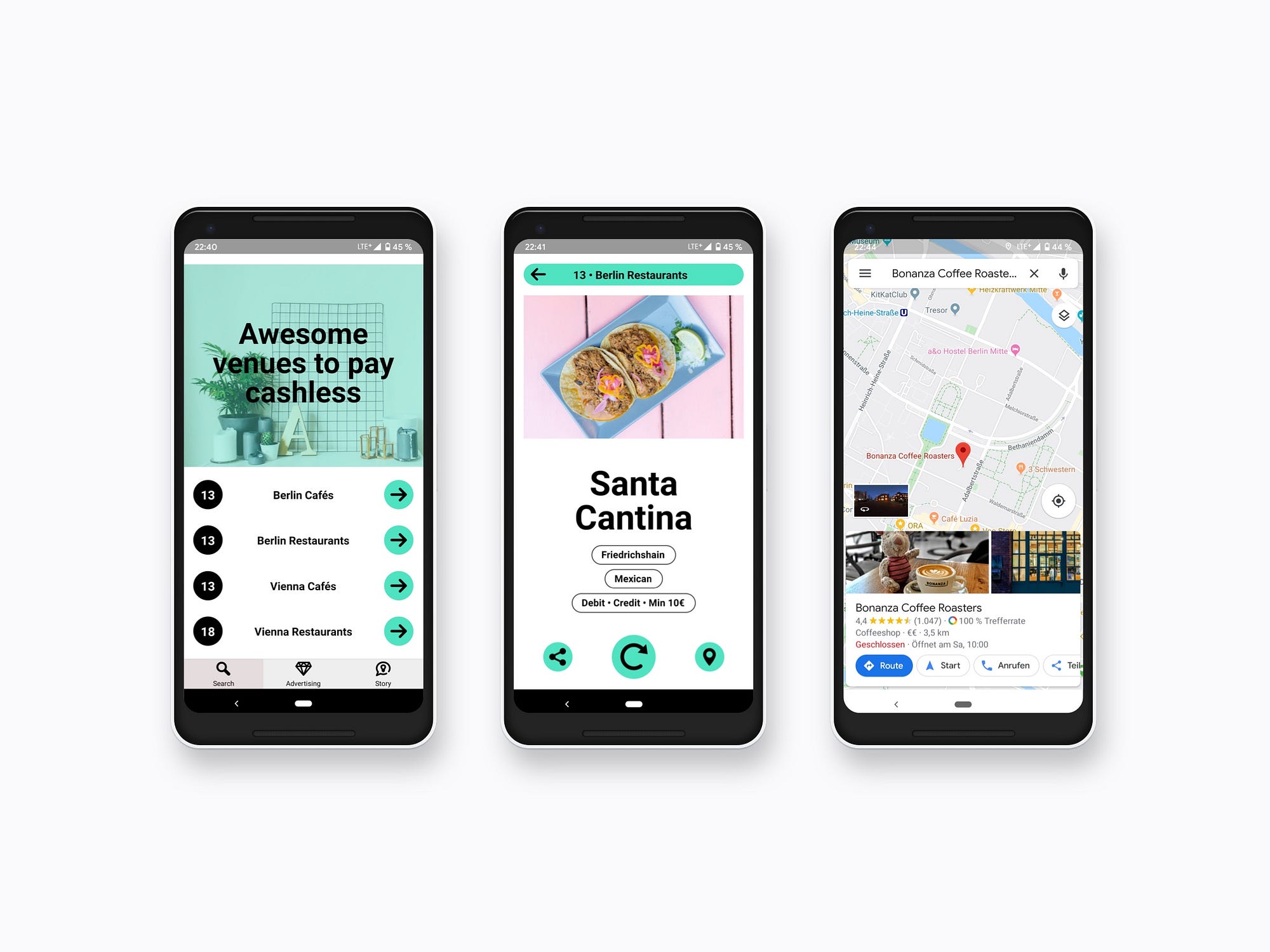

Building a mobile app might seem hard, but it can be done in a week with the right steps. First, you need to know how to build an app. This includes native, hybrid, rapid app development, and outsourcing. Creating a wireframe is key to designing your app’s structure and flow.
The app market has over 4 million apps in Google Play and Apple App Store. Despite the competition, there’s room for new ideas. To stand out, check if others solve similar problems. Use tools like SensorTower to see what users like and dislike.
This article’ll show you how to make your first mobile app. We’ll cover the tools and skills you need, the development process, and best practices.
Essential Tools and Skills You’ll Need Before Starting
Starting with mobile app development requires the right tools and skills. The app development process is complex. But with the right foundation, you can succeed.
Before creating a mobile app, learn the basics of programming and development environments.
You’ll need to know programming languages like Java, JavaScript, Swift, and more. Understanding development frameworks and design tools is also key. You’ll need programming, design, project management, and cross-platform development skills.
- Programming languages and development frameworks
- Design skills for creating visually appealing and user-friendly apps
- Project management skills for organizing the app development process
- Cross-platform app development skills for creating apps that work seamlessly across various platforms
Also, think about your development environment and software needs. Choose the right tools, like Xcode for iOS or Android Studio for Android. Set up your environment correctly.
| Development Platform | Required Programming Languages | Development Tool |
|---|---|---|
| iOS | Swift, Objective-C | Xcode |
| Android | Java, Kotlin | Android Studio |
You’re ready to create a mobile app with these essential tools and skills. You’ll navigate the app development process successfully.
Mobile App Development Fundamentals
Mobile app development is a complex process. It involves many factors like the app’s goals, who it’s for, and where it will run. With over 78% of people worldwide using smartphones, the app market is huge. Knowing the basics of mobile app development is key to success.
The app development process can take different amounts of time and cost. This depends on the app is complexity and how many developers work on it—choosing the right platform, like Android, iOS, or Cross-Platform. Each has its benefits and drawbacks.
Some important things to think about in the app development process include:
- Defining the app’s core features and functionality
- Designing a user-friendly interface and experience
- Ensuring security and quality assurance testing
- Conducting in-depth market research to understand the competition and target audience
Developers can make successful mobile app development projects by understanding these basics and following a clear app development process. These projects will meet the needs of their target audience.
| Platform | Pros | Cons |
|---|---|---|
| iOS | High security, easy to use | Limited customization options |
| Android | Custom features, wide range of devices | Fragmented market, security concerns |
| Cross-Platform | Works on both Android and iOS, cost-effective | Limited access to native features |
Day One: Planning Your Mobile App Concept
Starting a mobile app project needs a solid plan. It’s key to have a clear idea at the beginning. First, do some market research to know your audience and competitors.
Look at similar apps, find market gaps, and see how your app will meet user needs. This helps you define your app’s main features and what makes it special.
Market Research Techniques
Good market research includes reading customer reviews, surveying, and getting feedback. This helps you make user personas that show who your audience is. These personas guide your app’s development.
Defining Your App’s Core Features
After knowing your audience, define your app’s core features. Identify the main functions and features that will meet user needs. Focus on creating an app that meets your audience’s needs for success.
Creating User Personas
User personas are key in app development. Create detailed profiles of your target users, including demographics and behaviours. Understanding your audience helps you create an app that meets their needs and offers a great experience.
Day Two: Designing Your App’s Interface
Designing your app’s interface is key in app development. A good interface makes your app easy to use and fun. A bad one can frustrate users. When designing your mobile app, think about how users will feel and make it look good and work well.
A great app building tutorial will teach you about wireframes, user interface design, and testing. These steps help you make an app that users will love. Important design principles include structure, simplicity, and feedback.
Also, here are some top tips for mobile app design:
- Keep the design simple and intuitive
- Use clear and concise language
- Test the app’s usability regularly
- Consider the user’s context and behavior
Using these tips, you can make an app that looks great and works well. Focus on the user experience in your app building tutorial. Always test and improve your design as you go.
Day Three: How to Build Your First Mobile App Components
Building your first mobile app components is an exciting step in the mobile app development process. On day three, you’ll focus on setting up the basic structure, creating the main screens, and implementing basic navigation. This phase is key in the app development process as it sets the foundation for your app’s functionality and user experience.
You’ll need to set up your app’s basic structure. This involves defining the core features and functionalities of your app. Think about what features are essential and how they will be organized. A well-planned structure will help you build and navigate your app more easily.
Setting Up the Basic Structure
When setting up the basic structure, consider the following key aspects:
- Define the core features and functionalities of your app
- Organize the features and functionalities in a logical and user-friendly way
- Plan for scalability and flexibility to accommodate future updates and changes
Creating the Main Screens
After setting up the structure, you can start creating the main screens of your app. This includes designing each screen’s user interface and user experience (UI/UX). Keep in mind the following:
- Keep the design simple and intuitive
- Use clear and concise language in buttons and labels
- Ensure consistent branding throughout the app
Implementing Basic Navigation
Lastly, you’ll need to implement basic navigation to allow users to move between screens and access different features. Consider the following:
- Use a consistent navigation pattern throughout the app
- Make sure the navigation is easy to use and understand
- Test the navigation to ensure it works as expected
Day Four: Adding Functionality and Features
When you’re mobile app development, adding features is key. This is when your app starts to take shape. It’s important to focus on coding, APIs, and data storage in the creating a mobile app process.
Here are some important things to consider:
- Coding core functions: This means writing the code for your app’s features.
- Integrating APIs: APIs let your app talk to other services and get data.
- Managing data storage: This makes sure your app can handle data well.
A good plan for mobile app development leads to a solid app. By focusing on these areas, you’ll make a top-notch app. Whether you’re starting from scratch or updating an app, these tips will help.
| App Creation Method | Budget Friendly | Fast Development Speed | High Customizability |
|---|---|---|---|
| Self Code | Yes | No | No |
| Freelancer | Yes | No | No |
| No-code App Builder | Yes | Yes | No |
| Dev Agency | No | No | Yes |
| Builder.ai | Yes | Yes | Yes |
Day Five: Testing and Debugging Your App
Testing and debugging are key to our mobile app development journey. This stage is vital to ensure our app is top-notch and easy to use. Recent stats show that 77% of mobile app users check how well an app works before buying. Also, 80% of users delete an app if it doesn’t meet their needs.
In our app building tutorial, we’ve seen how important testing and debugging are. There are different tests, like beta testing and User Acceptance Testing (UAT). These help find and fix bugs. Here are some main points about testing and debugging:
- Automated tests for key functions
- Manual testing for startups and smaller apps
- Debugging to solve problems found during testing
It’s also important to keep working on the app after it’s launched. Apps grow based on what users say and data analysis. With more mobile users expected to hit 7.8 billion by 2028, our app must perform well and meet user needs.
| Statistic | Percentage |
|---|---|
| Users who uninstall an app that doesn’t meet their expectations | 80% |
| Users who uninstall an app that occupies too much storage space | 50% |
| Users who uninstall or abandon an app if it is slow | 48% |
By sticking to these tips and adding testing and debugging to our app building tutorial, we can ensure our app is strong, dependable, and meets user expectations.
Day Six: Optimizing App Performance
Optimizing app performance is key in mobile app development. It makes the app faster, more efficient, and better for users. Recent stats show a 6% rise in app abandonment due to slow loading times. This shows how vital optimization is in mobile app design.
Several methods can be used to boost app performance. These include:
- Shortening app loading times by streamlining setup and clearing out old cache data
- Adding strong online payment security to build user trust
- Optimizing images to cut down file size and speed up loading
Good client-server interaction and caching can also make systems run better. By focusing on loading key elements first and using splash screens, developers can greatly enhance the user experience. As mobile app development keeps growing, keeping apps fast and user-friendly will remain a major goal for developers.
Day Seven: Preparing for App Store Submission
Creating a mobile app is an exciting venture. The final step is preparing for app store submission. This means ensuring the app follows app store guidelines and creating a great listing.
It’s important to think about app store guidelines from the start. Design an app that looks good, is easy to use, and offers something unique. Keeping these guidelines in mind helps ensure a smooth submission process.
Some key things to consider for app store submission include:
- Ensuring the app is stable and works as it should
- Creating a compelling app store listing with a clear description, eye-catching screenshots, and a promotional video
- Optimizing the app for search by choosing the right keywords and categories
By following these steps and considering app store guidelines, developers can boost their chances of a successful submission. They can create a high-quality mobile app that meets their target audience’s needs.
| App Store | Submission Requirements |
|---|---|
| Apple App Store | Guidelines and review process |
| Google Play Store | Guidelines and review process |
Common Challenges and Their Solutions
Mobile app development can be complex. Developers often face many challenges. Some common issues include budgeting, as costs can vary and unexpected expenses may arise. They also have to decide between developing for iOS or Android, or both, due to the different expertise required for each platform.
Creating a user-centric UI and improving the user experience is another challenge. To overcome this, it’s essential to conduct thorough user research. Aligning interfaces with user requirements and functionality is key. Choosing the right tech stack for the app development process is also important. It ensures the app’s scalability, performance, and future maintenance.
Other challenges in mobile app development include:
- Cross-platform compatibility issues
- Performance optimization to avoid lagging, freezing, or crashing
- Continuous Integration (CI) and Continuous Deployment (CD) challenges
Developers can create high-quality apps by understanding these common challenges and their solutions. These apps meet user needs and stand out in a crowded market. This is a key aspect of a successful app building tutorial and mobile app development process.
Resources for Further Learning and Support
As you keep working on your mobile app development, having resources to boost your skills is key. Knowing a lot about user experience and user interface design is vital. This knowledge helps make apps that work well and look good.
Many online groups, tools, and learning sites help you. Online courses offer structured learning and hands-on practice. Books give deep insights into app development. Joining developer communities keeps you updated on trends, and making simple apps helps you learn by doing.
Key Resources
- Online courses and tutorials
- Developer communities and forums
- Books and eBooks on mobile app development and design
- Development tools and software
You can keep learning and improving as a mobile app developer using these resources. This way, you’ll stay current in the fast-changing mobile app development and design world.
| Resource | Description |
|---|---|
| Online Courses | Structured learning paths and practical exercises |
| Developer Communities | Forums and discussion groups for developers |
| Books and eBooks | In-depth knowledge on mobile app development and design |
Taking Your App from Concept to Reality
Creating a successful mobile app is more than just an idea. It’s about making that idea real and useful for users. With the right tools and strategies, you can bring your app to life and share it with the world.
Creating a prototype or MVP is a key step. It helps you test your idea and get feedback from users. Tools like Lean Canvas and no-code app builders make this easier. Testing and improving based on user feedback is essential for a great app.
The app development process is a journey, not a one-time task. Stay open to changes and keep learning. By focusing on quality and user experience, you can make your app a success.
FAQ
What are the essential tools and skills I need before starting to build my first mobile app?
To start building your first mobile app, you need a few things. First, set up a development environment. Then, learn basic programming concepts. You’ll also need to install software like programming languages and design tools.
How do I understand the fundamentals of mobile app development?
First, learn the basics of mobile app development. This includes the development process and design patterns. It’s also important to understand how to separate decision-making from execution.
How do I plan my mobile app concept?
Planning your app starts with market research. Define your app’s core features and create user personas. Knowing your target audience is key to creating an app that meets their needs.
What are the key steps in designing my app’s interface?
Designing your app’s interface is a big step. Start with wireframes and then design the user interface. Remember to test the app’s usability. A clear design process and design principles are essential for a user-friendly app.
How do I build my first mobile app components?
Building your app’s components is the next step. Start with the basic structure and create main screens. Implement basic navigation to make your app functional. Use development principles to ensure your app is robust and scalable.
What are the steps to add functionality and features to my app?
To add functionality, start by coding core functions. Then, integrate APIs and manage data storage. A scalable and maintainable app is key. Use development principles to ensure high quality.
How do I test and debug my app?
Testing and debugging are critical. Identify and fix bugs, test functionality, and optimize performance. A high-quality app requires thorough testing and debugging.
What are the best practices for optimizing app performance?
Optimizing app performance is vital. Use speed enhancement techniques, manage memory, and optimize battery usage. A fast and efficient app is essential for user satisfaction.
What are the key steps in preparing my app for app store submission?
Preparing for app store submission is important. Understand app store guidelines, create listings, and meet requirements. A high-quality app is key to success in the app stores.
What are the common challenges in app development, and how can I solve them?
App development comes with challenges like troubleshooting and debugging. Solve these problems and apply problem-solving principles. This ensures a robust and reliable app.
What resources are available for further learning and support in mobile app development?
For further learning, check out online communities and development tools. Learning platforms are also great resources. Continuous learning is essential for creating a high-quality app.
Discussion about this post