
Friday, 31 Jul 2026
  • My Feed
  • My Interests
  • My Saves
  • History
  • Latest Updates
Subscribe
WITHIN NIGERIA
  • HOME
  • NEWS
  • ENTERTAINMENT
  • FACT CHECK
  • 🔥
  • FEATURES
  • POLITICS
  • SPECIAL REPORTS
  • ANALYSIS
  • SPORTS
  • NOLLYWOOD
  • EDUCATION
  • OPINION
  • BUSINESS
  • LIFESTYLE
  • HEALTH
  • TECHNOLOGY
  • PRESS RELEASE
Font ResizerAa
WITHIN NIGERIAWITHIN NIGERIA
  • HOME
  • NEWS
  • ENTERTAINMENT
  • FACT CHECK
Search
Have an existing account? Sign In
Follow US
© WITHIN NIGERIA MEDIA LTD. All Rights Reserved.
Technology

Get Rid of That Annoying Red Dot on Your iPhone Without Setting up Apple Pay

Last updated: June 24, 2018 3:51 pm
Damilare Aanu
Share
SHARE

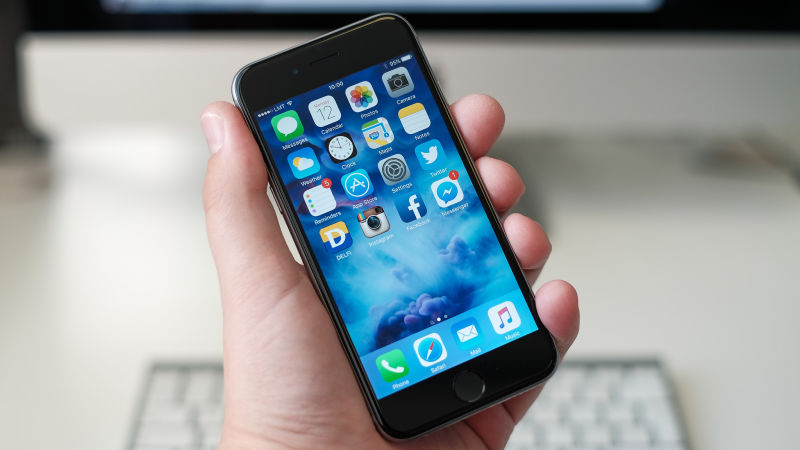
iOS: The red notification badges that pepper our iPhone home screens are mostly useful, but sometimes they can be downright annoying. For example, you’re probably sick of seeing that ugly red dot sitting on your iPhone Settings app, a permanent reminder that it’s time to set up Apple Pay. Thankfully, there’s a simple solution hiding in plain sight—if you don’t want to (or can’t) link your credit card to Apple Pay.

As noted by Apple blogger John Gruber, the first step is a little counterintuitive: open the Settings app and tap on “Set Up Apple Pay.” Once the process begins, you can easily opt out by selecting “Cancel” or Set Up Later in Wallet.” Both of these options should remove the red dot from your Settings apps entirely, at least until another important update arrives.

If you’re plagued by red dots on other apps, there’s an easy fix for that too. Just head back into Settings and open the Notifications menu. Find the app that’s annoying you, select it, and toggle “Badge App Icon” off. You’ll still get notifications for the app, but the dots won’t fill up your home screen anymore.

This option doesn’t work for Settings itself, but it’s great for other apps where notifications might be piling up. Personally, I gave up on inbox zero years ago and decided to hide the number of notifications on my Gmail app. This little trick is also great for any other app where alerts keep piling up but you don’t care enough to check, whether that’s annoying replies on Twitter or payment requests on Venmo.


TAGGED:iPhonetechnology
Share This Article
Email Copy Link Print
ByDamilare Aanu
Follow:
Aanu Damilare (Mercien) is a Web Developer with keen interest in blogging. Mail me at editor@withinnigeria.com. See full profile on Within Nigeria's TEAM PAGE
Previous Article “Bobrisky is a ritualist and destiny user,” – Former Stylist, Seun The Diva
Next Article Eedris Abdulkareem is the reason I can beat my chest and say I never messed with any entertainer – Laura Ikeji
Leave a Comment

Leave a Reply Cancel reply

Your email address will not be published. Required fields are marked *

Your Trusted Source for Accurate and Timely Updates!

Our commitment to accuracy, impartiality, and delivering breaking news as it happens has earned us the trust of a vast audience. Stay ahead with real-time updates on the latest events, trends.
FacebookLike
XFollow
InstagramFollow
LinkedInFollow
MediumFollow
QuoraFollow
- Advertisement -
Ad image

You Might Also Like

Technology

Mixed reactions over new ‘WhatsApp privacy’ terms

By
Davies Ngere Ify
MetroTechnology

ABU Graduate: How my quest for new ideas inspired me to convert my mum’s bicycle to motorbike

By
Nnadi Christopher Ikechukwu
XTRA

Man Who Stole N46k And IPhone Forced To Clean Gutters In Ghana (Video)

By
Damilare Aanu
TechnologyWorld News

Apple offers $1m reward to anyone who can hack an iPhone

By
Damilare Aanu
WITHIN NIGERIA
Facebook Twitter Youtube Rss Medium

About US

 Your instant connection to breaking stories and live updates. Stay informed with our real-time coverage across politics, tech, entertainment, and more. Your reliable source for 24/7 news.

Top Categories
  • World News
  • Opinion
  • Politics
  • Tech
  • Health
  • Travel
Usefull Links
  • Contact Us
  • Advertise with US
  • Complaint
  • Privacy Policy
  • Cookie Policy

© . All Rights Reserved.