
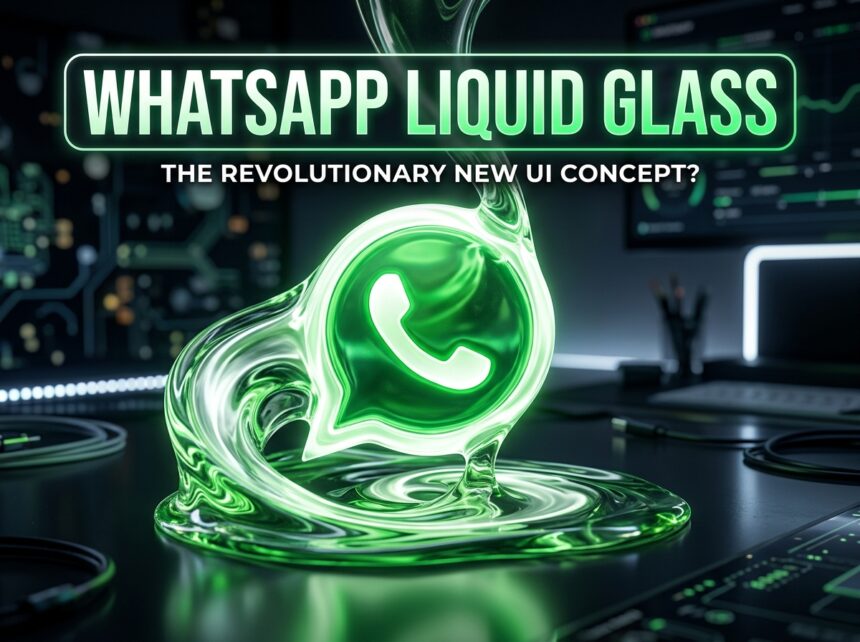
If you’ve spent any time in tech circles recently, you’ve probably heard the phrase WhatsApp Liquid Glass thrown around. It sounds like a cocktail, but it’s actually one of the more interesting design decisions Meta has made in years. For an app that hadn’t changed its core visual language in a long time, the shift is genuinely noticeable, and not just cosmetically.
This article breaks down exactly what’s changed, what’s staying the same, and whether the update is something to get excited about or just another reskin that looks different in screenshots but feels the same in daily use.
What Is WhatsApp Liquid Glass?
WhatsApp Liquid Glass is a redesign of the app’s interface built around translucent, frosted-glass aesthetics, blurred backgrounds, semi-transparent panels, floating elements, and soft depth effects. Think of every surface that used to be a solid block of colour now rendered as though it’s a pane of tinted glass sitting slightly above the wallpaper beneath it.
The design draws directly from Apple’s iOS 26 visual language, also called Liquid Glass, which Apple introduced as part of a broader effort to make its system UI feel more tactile and layered. WhatsApp, being one of the most-used apps on iPhone, is following suit.
According to WABetaInfo, the most reliable source for WhatsApp pre-release information, the changes are currently in internal testing and have been spotted in select beta builds. As of May 2026, even most TestFlight users haven’t seen the full version yet, though parts of the redesign, including the voice message player, rolled out to some beta users earlier this year.
The Old WhatsApp UI: What It Looked Like
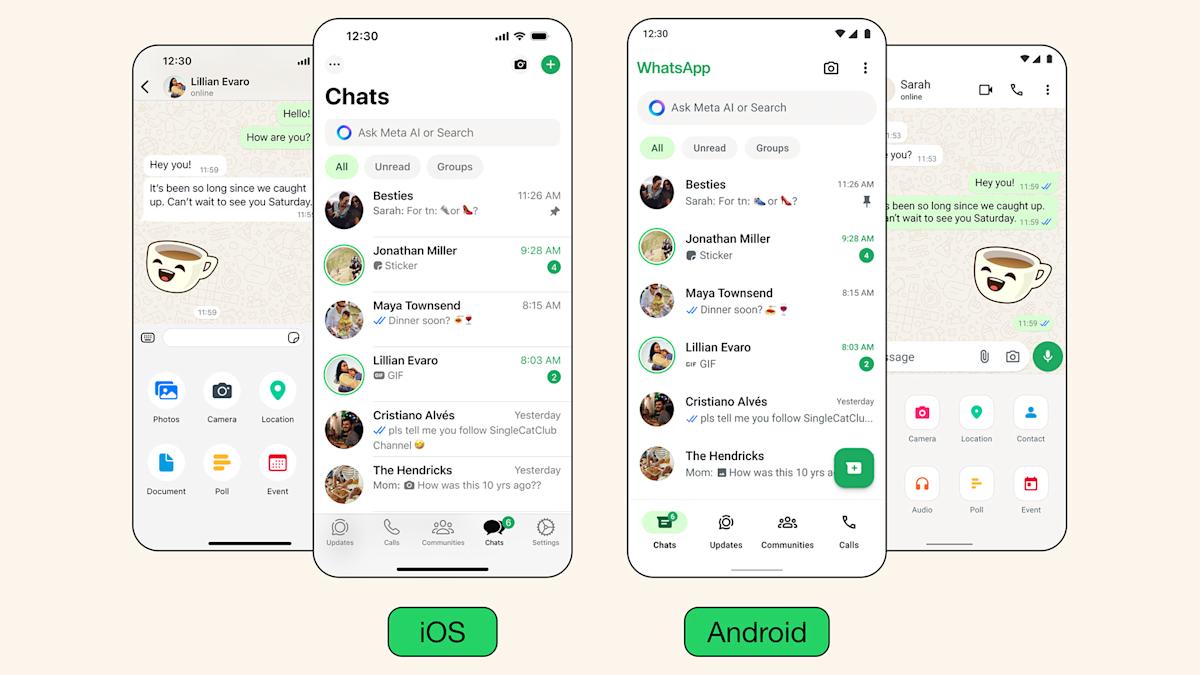
The existing WhatsApp interface has been functional and stable for years. That’s a polite way of saying it hasn’t changed much.
The old UI is built on flat, opaque surfaces. The chat bar at the bottom is a solid strip fixed to the screen. Navigation bars are fully opaque in the app’s signature dark green or white (depending on theme). Icons are flat. Buttons sit flush against solid backgrounds. Everything is clearly delineated, there’s little sense of layering or visual depth.
This design has worked. WhatsApp’s interface has always prioritised readability and performance over visual flair. On older hardware, flat UI renders fast and doesn’t tax the GPU. On lower-end Android devices particularly, this pragmatic approach made sense.
But the tradeoff is that the app can feel visually dated next to apps that have adopted more modern design patterns. iOS users especially, who are used to Apple’s own translucent interface elements in Control Centre and Notification Centre, have been looking at WhatsApp’s solid panels and wondering when the app would catch up.
WhatsApp Liquid Glass vs Old UI: A Side-by-Side Look
1. The Chat Input Bar
Old UI: A fixed, solid bar anchored to the bottom of the screen. It doesn’t move, doesn’t breathe, and doesn’t interact with the wallpaper behind it. Functional, no-nonsense.
Liquid Glass: The chat bar becomes a floating, translucent strip. It appears to hover above the conversation rather than sit bolted to the screen floor. The frosted-glass effect means the wallpaper subtly bleeds through the bar, you can see its colour and texture without it being distracting. The overall effect makes the chat area feel more open, less boxed-in.
This is probably the biggest visual change. The fixed-to-floating shift sounds minor until you see it in motion.
2. The Navigation Bar
Old UI: Fully opaque at the top of the chat screen. Solid background, contact name, video call and call icons on the right. The wallpaper stops at the edge of the bar, there’s a hard visual border.
Liquid Glass: The top navigation bar goes transparent with a soft fade. The wallpaper behind the chat bleeds upward into it. There’s depth and shadow, and the bar visually recedes rather than imposing itself on the screen. Interactive elements, including the “jump to latest message” button, also adopt the glass treatment.
The result is that the chat screen feels more like a window into a conversation than a form with chrome bolted around it.
3. Visual Depth and Layering
Old UI: Essentially flat. UI elements sit on the same visual plane. There’s contrast (dark bubbles, light background) but no sense of layers. It looks like a well-designed spreadsheet, organised but two-dimensional.
Liquid Glass: Depth returns. Navigation elements, input bars, and interactive buttons appear to float above the wallpaper. The blur and shadow effects create a genuine sense of z-axis hierarchy. Different parts of the screen feel like they exist at different distances from your eyes.
4. Animations and Transitions
Old UI: Transitions are functional. Screens slide in and out. Nothing about the animations draws attention.
Liquid Glass: Smoother, more fluid transitions throughout. The glass elements respond to scrolling and interaction in more nuanced ways, they adapt and blur dynamically rather than just appearing and disappearing. On devices that support iOS 26’s system-level effects, this is especially pronounced since WhatsApp can lean on the OS’s own rendering pipeline.
5. Wallpaper Integration
Old UI: Wallpapers appear behind the chat bubbles but are blocked by the solid navigation and input bars. The wallpaper exists in the middle section of the screen.
Liquid Glass: Wallpapers now bleed through the translucent UI elements above and below the chat area. If you have a custom background, it becomes part of the whole visual composition rather than just a backdrop behind your messages. The chat interface and the wallpaper work together rather than competing for space.
6. The Voice Message Player
This is one of the few areas where iOS users have already seen the Liquid Glass design in action. The voice message player was updated earlier in 2026 and adopted the new translucent styling. Compared to the old solid grey player, the difference is immediate; it looks lighter, cleaner, and more integrated with the chat background.
What Hasn’t Changed
A redesign of this kind only touches the visual layer. Message delivery, end-to-end encryption, group chats, call quality, status updates, channels, none of that is affected. If you’re hoping the update will fix something functional (like finally letting you edit messages after more than 15 minutes), this isn’t it.
Performance is a reasonable concern. Blur and transparency effects can be GPU-heavy. Meta has indicated the full Liquid Glass experience is optimised for devices running iOS 26, which means older iPhones may not get all the visual effects, or may get a pared-back version. On Android, the update’s scope and timeline are still unclear.
Who Gets It First?
Right now, the Liquid Glass redesign is an iOS-first story. The design language originates with Apple’s iOS 26, and WhatsApp is building its implementation on top of Apple’s system-level effects. Android users should expect to wait, and may see a different visual execution when it eventually arrives, since Android doesn’t have the same underlying glass rendering as iOS 26.
Even on iOS, the rollout has been gradual. As of early May 2026, it’s still in internal testing. Most beta users on TestFlight haven’t received the complete redesigned in-chat interface yet. Meta appears to be in no rush, they’re testing individual elements separately before committing to a full release. Worth noting: WhatsApp will also drop support for Android 5.0 and 5.1 from September 2026, which may push some users to upgrade hardware before they can access newer interface features.
Is the WhatsApp Liquid Glass Update Worth the Hype?
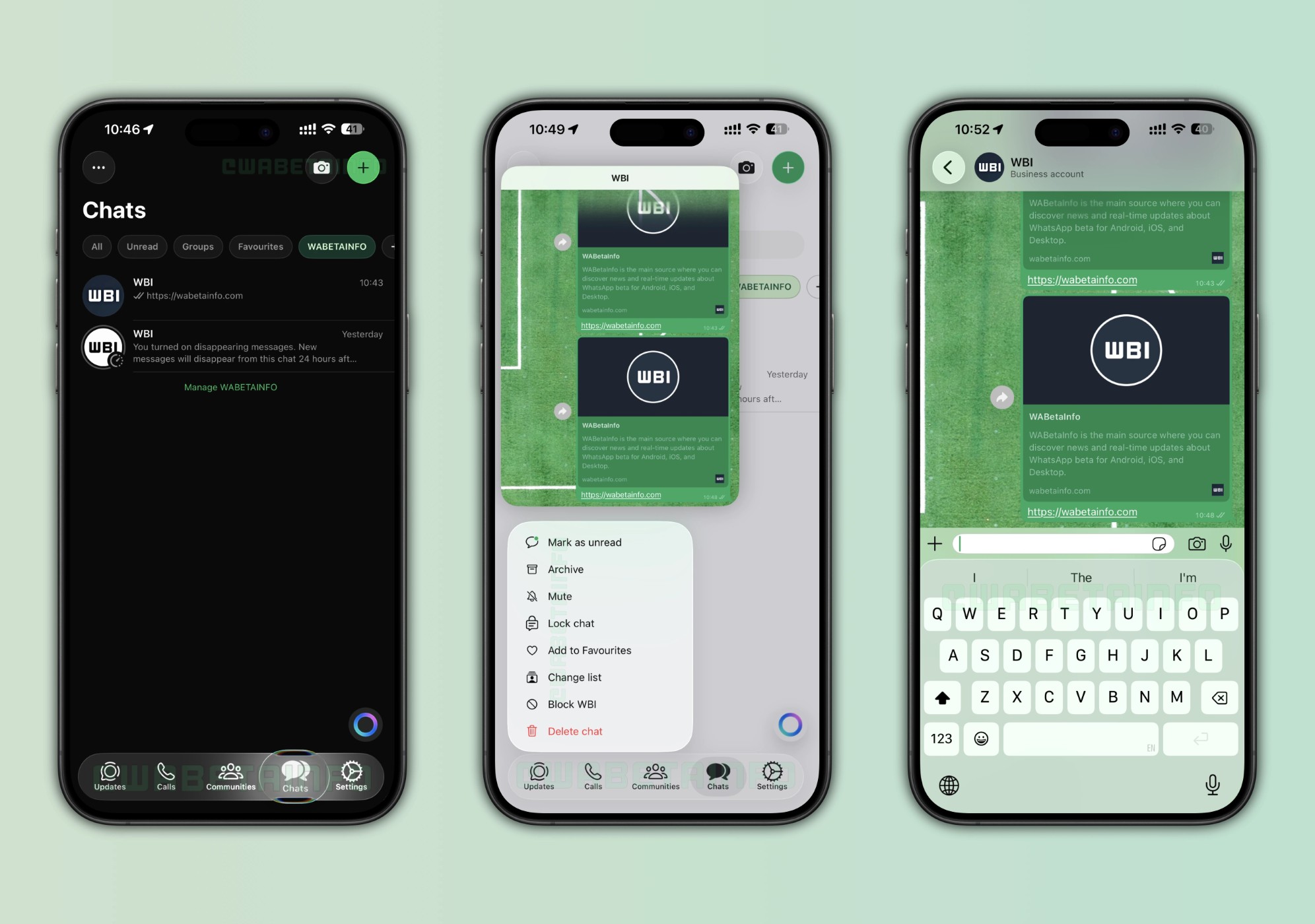
Honestly, it depends on what you use WhatsApp for. If you spend most of your time in group chats during commutes, you probably won’t notice the navigation bar has a soft fade effect. It’s not that kind of update.
But if you care about how your tools look and feel, and plenty of people genuinely do, this is a real improvement. The old WhatsApp UI has never been ugly, but it’s always felt a bit utilitarian. The Liquid Glass redesign brings it closer to feeling like a native iOS app rather than a cross-platform app that happens to run on iPhone. That friction reduction matters over the long run.
The floating chat bar is the change that’ll register most immediately. After a few days with it, going back to a fixed solid strip will probably feel clunky, which is usually how you know a design decision was correct.
Frequently Asked Questions About WhatsApp Liquid Glass
What is WhatsApp Liquid Glass?
WhatsApp Liquid Glass is a UI redesign that introduces translucent, frosted-glass effects to the app’s navigation bars, chat input bar, and other interface elements. It’s inspired by Apple’s iOS 26 design language and gives the app a more layered, modern appearance.
Is WhatsApp Liquid Glass available now?
As of May 2026, the full Liquid Glass redesign is not yet available to the general public or even most beta users. Parts of it, like the updated voice message player, have rolled out to select iOS beta testers. The complete in-chat redesign is still in internal testing.
Will WhatsApp Liquid Glass come to Android?
Meta has not confirmed a timeline for Android. Since the design relies heavily on iOS 26’s system-level rendering capabilities, Android will likely receive a version of the redesign, but it may look different and arrive considerably later.
How do I get the WhatsApp Liquid Glass update?
Currently, you can’t unless you’re in a select internal beta group. Joining TestFlight gives you early access to WhatsApp beta builds, but even most TestFlight users haven’t received the Liquid Glass interface yet. Watch WABetaInfo for updates on when it widens.
Does the Liquid Glass update change how WhatsApp works?
No. This is purely a visual redesign. Messaging, calling, encryption, groups, and all other functionality remain unchanged.
What’s the biggest difference between the old WhatsApp UI and Liquid Glass?
The most noticeable change is the chat input bar, it shifts from a fixed, opaque element to a floating, translucent one. The navigation bar at the top of chats also goes transparent, letting the wallpaper show through. Together, the changes create a sense of depth that the old flat UI doesn’t have.
Does WhatsApp Liquid Glass affect battery or performance?
Potentially, yes. Blur and transparency effects require more GPU processing than flat UI. Meta says the design is optimised for iOS 26 hardware, which suggests older devices may see reduced effects or slightly different rendering to preserve performance.
When will WhatsApp Liquid Glass be fully released?
Meta has not announced a specific release date. Given the gradual rollout and the fact that internal testing is still ongoing as of May 2026, a wide public release likely won’t happen until later in 2026 at the earliest.