

For fifteen years, checking your notifications on an iPhone took zero thought. A thumb went to the top of the screen, pulled down, and there they were. iOS 27 has quietly changed that, and a lot of iPhone owners are finding out the hard way, one accidental Siri prompt at a time.
The change is small on paper. In practice, it touches the one gesture most people perform dozens of times a day without looking.
What exactly changed in iOS 27
The new behaviour is tied to Apple’s rebuilt assistant. Once Siri AI is switched on, a pull down from the top centre of the screen no longer opens Notification Center and brings up Siri’s new “Search or Ask” panel in its place. If you have not turned Siri AI on, Notification Center opens exactly as it always did, on both iPhone and iPad.
Your alerts have not been removed. Notification Center is now reached only by pulling down from the top-left corner, and new alerts slide in from that side as well, which nudges your muscle memory toward the new spot. Dismissing an alert now means swiping it to the right, while Control Center stays on the top-right corner, so notifications and quick settings sit on opposite sides.
Here is how the top edge of your screen now breaks down:
| Where you swipe down | iOS 26 (and iOS 27 with Siri AI off) | iOS 27 with Siri AI on |
|---|---|---|
| Top-left corner | Notification Center | Notification Center |
| Top centre (Dynamic Island area) | Notification Center | Siri “Search or Ask” panel |
| Top-right corner | Control Center | Control Center |
| Middle of Home Screen | Spotlight search | “Search or Ask” card with Siri AI |
| New alerts arrive from | The top | The left side |
Fifteen years of habit, gone in one update
Notification Center is older than many of the apps on your phone. It arrived with iOS 5 in 2011 as a single place to see alerts from your apps in time order. The centre swipe became so automatic that many users never noticed they had a choice of where to pull from.
Not everyone feels the change equally. Some readers on Cult of Mac pushed back, saying they had always used the left corner for alerts and the right for Control Center. But for people who reach for the middle, the adjustment has been rough. A Macworld writer who ran iOS 27 through months of public beta said his fingers still had not adapted, and that he now summons the Siri bar dozens of times a week without meaning to. Engadget’s reviewer found the setup a little cramped, noting that the top edge already carried Control Center on the right and notifications on the left before Siri was squeezed into the middle.
Why Apple handed the swipe to Siri
The short answer is that iOS 27 is built around Siri. Apple wanted to give Siri AI a much bigger activation zone across the top of the display, and the centre swipe was the most valuable piece of real estate available.
There is a practical argument for it. Before iOS 27, the quick search you got by pulling down on the Home Screen could not be reached from inside an app. Now a swipe from the top centre opens Spotlight with Siri in any app, whatever is on screen, which is why some testers came to rely on it heavily. From that “Search or Ask” bar in the Dynamic Island, you can pull the results card further down to move into a chat-style conversation that looks like a text thread.
The new assistant itself is a big bet for Apple. Apple used the technology behind Google’s Gemini models to build its next generation of Apple Foundation models, and Siri AI runs across iOS 27, iPadOS 27, macOS, visionOS 27 and watchOS 27, so a request started on one device can be picked up on another. Giving it the most-used gesture on the phone is a clear signal of where Apple’s priorities sit.
The layout already changed once during testing
Apple did tweak the arrangement before release. In the first iOS 27 beta, Siri AI took up almost the whole top of the Home Screen, leaving very little room to open Notification Center, especially for people who had hidden the date or AM/PM. Beta 2 tidied things up, giving Notification Center and Control Center roughly equal zones on each side with Siri in between. On iPad, each side zone is about two app columns wide, and the rest of the top edge belongs to Siri.
That arrangement survived into the final release after a summer of betas.
Apple has done this before
If this feels familiar, it should. In 2017, when the iPhone X dropped the home button, Control Center moved from a swipe up at the bottom to a swipe down from the top-right corner. That move eventually felt just as natural as the old one. The difference this time is that the old gesture did not need to move for hardware reasons. It was reassigned to make room for a software feature.
Which iPhones are affected
The gesture change only applies to phones that can run Siri AI. iOS 27 works on the iPhone 11 and newer, but Siri AI is limited to the iPhone 15 Pro and later because it needs an Apple Intelligence-capable model. Older and non-Pro models keep the old centre swipe untouched.
| iPhone | Gets iOS 27? | Gets Siri AI and the new swipe? |
|---|---|---|
| iPhone 18 Pro, 18 Pro Max, iPhone Duo | Yes | Yes |
| iPhone 17 series and iPhone Air | Yes | Yes |
| iPhone 16 series, including 16e | Yes | Yes |
| iPhone 15 Pro, 15 Pro Max | Yes | Yes |
| iPhone 15, 15 Plus | Yes | No, old swipe stays |
| iPhone 11 to iPhone 14 series, iPhone SE (2nd and 3rd gen) | Yes | No, old swipe stays |
There are other limits too. Siri AI is still unavailable on iPhone, iPad and Apple Watch in the European Union, does not work with Apple Accounts in mainland China, carries a beta label, and is not offered to users under 13.
More people are about to meet the new gesture
For the first two months, a waitlist acted as a buffer. When iOS 27 launched on 14 September, installing it did not switch Siri AI on; users had to go to Settings, tap Siri, then tap Try Siri AI (Beta) and join a queue. That has changed. Apple’s updated support document now says Siri AI downloads automatically, with a waitlist used only at times of high demand.
Language support has widened as well. At launch, Siri AI only worked in English, but the iOS 27.2 update added French, Japanese, Korean, Portuguese and Spanish. The supported English variants cover Australia, Canada, Ireland, India, New Zealand, South Africa, the UK and the US. In practice, that means iPhone owners in Nigeria and other markets will typically be using one of those English settings, and the moment Siri AI is on, the gesture changes with it.
Can you switch it back?
Not directly. There is no setting to stop the top-centre swipe from calling Siri, so the only fix is to train your thumb away from the middle. The one full reversal is to keep Siri AI turned off, since the default behaviour is unchanged without it. That is a steep price for anyone who actually wants the new assistant.
How to adapt: practical tips
| Problem | What to do |
|---|---|
| You keep opening Siri by accident | Aim for the clock in the top-left corner. Treat it as a target for your thumb until the habit sets in. |
| You use your phone one-handed with your right hand | Reaching the left corner is awkward. Try Back Tap: go to Settings, Accessibility, Touch, Back Tap, and set a double tap to open Notification Center. |
| You want a button instead of a gesture | Turn on AssistiveTouch in Accessibility. Its floating menu includes a Notification Center shortcut. |
| You mostly check alerts on the Lock Screen | Recent notifications already show there. Swipe up from the middle of the Lock Screen to see older ones without touching the top edge. |
| You never use the new Siri | Leave Siri AI off and your old swipe stays exactly as it was. |
| You opened Siri by mistake | Nothing is broken. Swipe the panel away and try again from the left corner. |
The first few days are the worst. Most users who went through the Control Center change in 2017 will tell you the new position stops feeling strange within a couple of weeks.
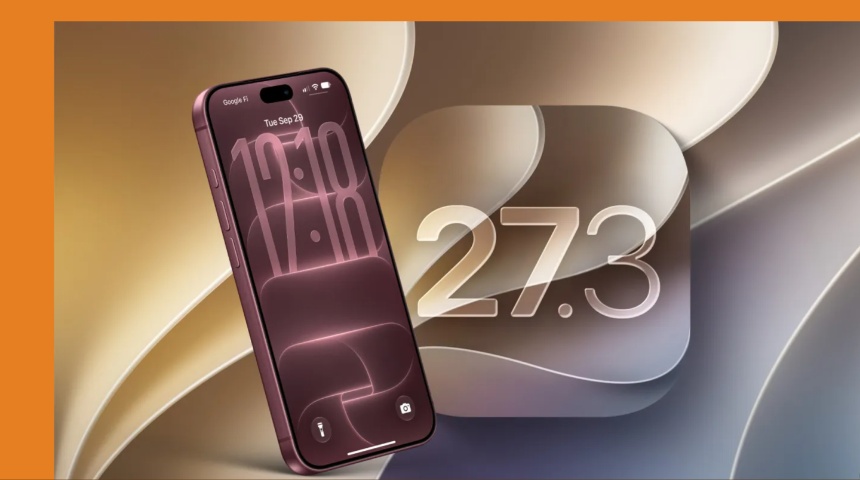
Apple is already testing the next update. iOS 27.3 beta 1 brought back the redesigned Health app, which Apple says will ship before the end of the year, and a public release is expected in the first half of December. So far, there is no sign in the betas that Apple plans to add a toggle for the top-centre swipe.
iOS 27 has not taken anything away from your iPhone. Notification Center still works the same way; it just lives in a smaller corner now. What Apple has done is decide that its new assistant deserves the most natural gesture on the phone. Whether that pays off depends on how good Siri AI turns out to be. If it earns its place, nobody will remember the old swipe in a year. If it does not, Apple will be hearing about it every time a thumb lands in the wrong spot.